How to Upgrade Your Portable Gaming Setup
Portable gaming has come a long way. What used to feel like a compromise is now a real way to play your favorite games almost anywhere. Whether you use a Steam Deck, Nintendo Switch, PS5, Xbox, gaming laptop, or cloud gaming setup, you no longer have to be tied to one desk or one TV to enjoy a strong gaming experience.
The key is building a setup that feels comfortable, responsive, and easy to travel with. A great portable gaming setup is not just about the device itself. It is about the screen, controller, stand, charging gear, cables, storage, audio, and small accessories that make each session smoother.
The goal is simple: turn any bedroom, hotel room, dorm, living room, or travel space into a place where gaming still feels immersive and enjoyable.
Here are the best ways to upgrade your portable gaming setup.
Start With the Screen
The screen is one of the biggest parts of the gaming experience. You can have a powerful console or handheld device, but if the screen is too small, too dim, or not smooth enough, the whole setup can feel limited.
For handheld gaming, the built-in screen is convenient, but it is not always ideal for longer sessions. A larger portable monitor can make the experience feel closer to a real gaming station without forcing you to carry a full desktop monitor.
This is especially helpful for games where detail matters. Racing games, FPS games, RPGs, sports games, and competitive titles all benefit from a screen that is sharp, bright, and smooth. A better display can make the game easier to see and more enjoyable to play.
Add a Portable Gaming Monitor
One of the most useful upgrades for portable gaming is a dedicated portable monitor. It gives you a larger display while still keeping the setup flexible. You can use it with a Steam Deck, gaming laptop, PS5, Xbox, or other compatible devices, depending on your connection options.
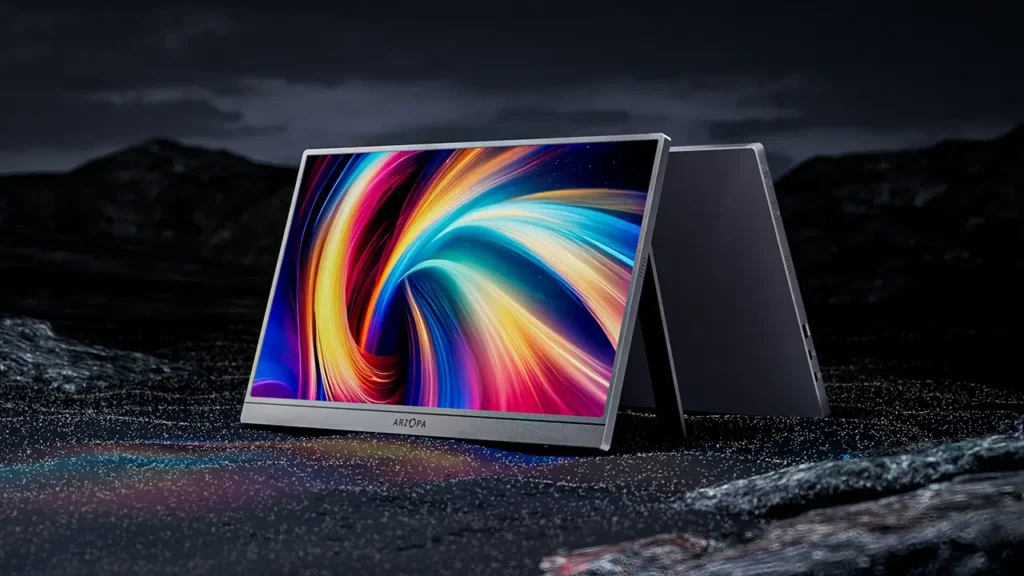
A portable monitor is especially helpful if you travel, share a TV, live in a smaller space, or like gaming in different rooms. Instead of waiting for the main television to be free, you can set up your own screen almost anywhere.
This is where ARZOPA is worth considering. The Arzopa Z3FC portable monitor is designed with gaming in mind and brings several features that make it a strong option for upgrading a portable setup.
The biggest highlight is speed. The Z3FC offers a 180Hz refresh rate, which is especially useful for fast-paced games like competitive shooters and racing games. A higher refresh rate can make motion feel smoother and more responsive, which matters when every movement, turn, or reaction counts.
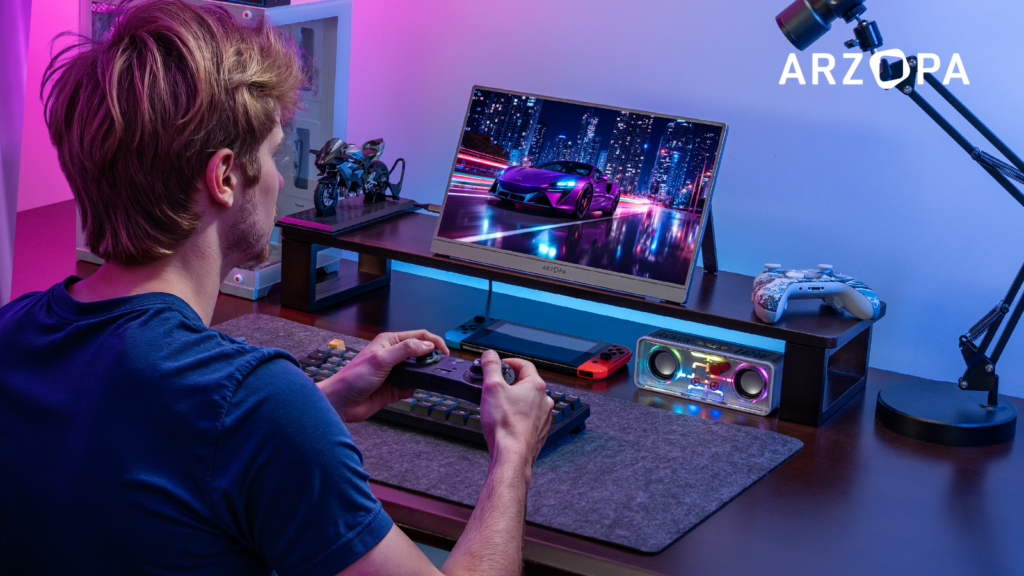
The display also brings sharper visuals with 1440p QHD resolution and 400 nits brightness. That combination helps games look more detailed and easier to see, even in brighter environments where lower-brightness screens can feel washed out.
For console and handheld players, the Z3FC is also built to work well with devices like PS5, Xbox, and Steam Deck. It includes FreeSync, which helps reduce screen tearing for smoother gameplay. That can make a big difference when you are moving quickly through a game and want the visuals to stay clean.
The monitor is also easy to take with you. It has an ultra-light 780g build, a sturdy integrated stand, and comes with a protective case, making it more travel-ready for commutes, trips, or moving between rooms. For anyone trying to turn a small setup into a more serious gaming station, a portable monitor like this can be one of the most noticeable upgrades.
Use a Comfortable Controller
A good controller can completely change how portable gaming feels. Handheld controls are convenient, but they are not always the most comfortable for long sessions. If your hands cramp, your grip feels awkward, or the controls do not feel precise, it can take away from the experience.
A wireless controller can make portable gaming feel more relaxed. You can set your device or monitor on a stand, sit back, and play without being hunched over the screen.
For console players, using your standard PS5 or Xbox controller is usually the easiest option. For Steam Deck or laptop gaming, a Bluetooth controller can make the setup feel more like a traditional gaming station.
The controller does not have to be fancy. It just needs to feel comfortable, connect reliably, and give you the control you want.
Upgrade Your Audio
Audio is easy to overlook, but it makes a huge difference. Built-in speakers on handhelds, laptops, or portable monitors may be fine in quiet rooms, but they often lack depth and can struggle in noisy spaces.
A good pair of gaming earbuds or headphones can make portable gaming feel much more immersive. You will hear more detail, enjoy better sound effects, and stay focused without disturbing everyone around you.
For travel, earbuds are usually the most compact. For home or hotel setups, over-ear headphones can be more comfortable and immersive. Look for something lightweight, easy to pack, and comfortable enough for longer sessions.
Low-latency wireless audio is also worth considering if you play fast-paced games. Delayed audio can be distracting, especially in competitive titles.
Bring the Right Cables and Adapters
A portable gaming setup only works if everything connects properly. That is why cables and adapters matter more than people expect.
Depending on your device, you may need USB-C cables, HDMI cables, charging cables, power adapters, or a dock. A missing cable can ruin the entire setup, especially when traveling.
It helps to create a small gaming cable pouch. Keep your essential cables in one place so you are not searching through drawers every time you want to set up. For travel, having a backup charging cable can save a lot of stress.
Cable quality also matters. A cheap or unreliable cable can cause flickering, connection drops, or charging issues. For a setup that includes a portable monitor, handheld console, or gaming laptop, dependable cables are worth having.
Improve Your Stand Setup
A good stand makes portable gaming more comfortable. Without one, you may end up balancing your device on a pillow, leaning it against random objects, or looking down at an awkward angle for too long.
A sturdy stand lets you position the screen at a better height and angle. This helps reduce neck strain and makes the whole setup feel more polished.
Some portable monitors, like the Arzopa Z3FC, include an integrated stand, which is useful because it reduces the number of extra accessories you need to carry. For handheld consoles or phones, a small foldable stand can also be helpful.
The goal is to make your setup feel intentional instead of improvised.
Think About Power and Battery Life
Portable gaming often runs into one problem: battery life. Handheld devices, controllers, headphones, and portable monitors all need power. If you are gaming away from an outlet, this becomes even more important.
A reliable power bank can be a smart addition, especially for travel. Look for one that supports your device’s charging requirements. For home setups, a compact power strip or charging station can help keep everything organized.
It is also helpful to charge your devices before a trip or long gaming session. That sounds obvious, but many portable gaming problems come from starting with half-charged gear.
Good power management makes the setup feel less frustrating and more dependable.
Keep Everything Protected
Portable gaming gear gets moved around more than regular gaming equipment. That means protection matters. A case, sleeve, or padded bag can help keep your monitor, handheld, cables, and accessories safer during travel.
This is especially important if you are carrying a portable monitor. A thin screen can be easy to damage if it is thrown into a backpack without protection. The fact that the Arzopa Z3FC includes a premium protective case is a practical detail because it helps make the monitor more travel-ready from the start.
For the rest of your setup, small organizer bags can help keep cables from tangling and accessories from getting lost.
Build a Setup You Can Actually Use Often
The best portable gaming setup is the one you will actually use. It should be easy to unpack, easy to connect, and easy to put away.
Avoid making the setup too complicated. You do not need to carry every possible accessory every time. Instead, build a core kit: portable monitor, controller, headphones, power, cables, and a protective case.
That gives you everything you need without making the setup feel like a chore.
Final Thoughts
Upgrading your portable gaming setup is about making the experience feel smoother, more comfortable, and more immersive wherever you play. A better screen, comfortable controller, solid audio, reliable cables, proper stand, and travel-ready storage can all make gaming away from your main setup feel much better.
One of the biggest upgrades is a portable monitor, especially for players who use a Steam Deck, PS5, Xbox, or gaming laptop. A gaming-focused option like the Arzopa Z3FC gives you a faster 180Hz refresh rate, 1440p QHD visuals, 400 nits brightness, FreeSync support, a lightweight build, an integrated stand, and a protective case for travel.
With the right setup, portable gaming does not have to feel like the backup option. It can feel like a real gaming station that goes wherever you do.